

1,200 days of Duolingo. I still could not order a coffee in Catalan.
The café is 200 meters from my front door. I have walked past it most mornings since I moved to Barcelona in 2016. And every time, I ordered in Spanish, because three years of daily lessons had not given me the one sentence I actually needed to order my large oat latte.
So the problem was not that I skipped days. In fact, I never skipped a day.
What the streak was actually measuring
Duolingo is well made. The streak, the leagues, the little owl guilt-tripping you at 9 pm. All of it works. That is why I opened it 1,200 times.
But the app never knew anything about me.
It did not know I live in Catalonia. It did not know that I get the past tense wrong in the same way every single time. It did not know that I need to ask for a table for two, or explain to my coworking receptionist that the aircon makes the office freezing cold.
It fed me sentences that were built for nobody in particular. The internet is full of jokes about them.
The streak was measuring my attendance. It was not measuring whether I could speak.

The 30-minute replacement
“Scratch your own itch,” they say. So I rebuilt the thing as a Claude project.
No code. Nothing to install, apart from one iPhone app at the end for the streak.
It comes down to two tools, one job each:
Claude is the teacher. It writes the lesson, asks the questions, corrects me, and explains why I was wrong.
Notion is the teacher’s memory. Claude on its own forgets. It has some built-in memory, but a language course is too much to hold there: a curriculum, every word I have learned, every mistake I have repeated, a log of every session. Notion is built to store that, and Claude can read it and write to it.
That connection is the entire trick. Everything else is detail.
If you would rather watch me build it, the video above is the whole thing, start to finish. If you would rather read, keep going. The written version has all the prompts and the script.
Setup
You need a Claude account and a Notion account. The free tiers are enough to try it.
In Claude, open the settings and connect Notion. Approve the permissions it asks for.
Create a new project. I called mine “Catalan tutorial”.
In the project, ask Claude to build the Notion workspace for you.
That is it. You do not create a single Notion page by hand. Claude does it, because it now has access.
It will get some things wrong on the first pass. Mine came back with a Canadian flag as the icon, which I assume is because Canada and Catalonia both start with CA. 🙄 It also built a curriculum that was too thin to use.
Both were fixed by asking.
The four pages, and why they are separate
This is the part worth copying, even if you never touch Claude.
Curriculum and progress. The path through the language, plus where I am on it. Without this, every session starts from zero, and I get taught “hello” for the fourth time.
Mistake tracker. Every error, with the correction. This is the page that matters most. It is what makes tomorrow’s lesson different from today’s, and it is the thing no app was doing for me.
Vocabulary. Words I have met, and how well I know them.
Lesson log. What happened in each session, and the date. The streak reads from here.
Four pages instead of one big page, because Claude reads them separately. When it starts a lesson it pulls the mistakes and the vocabulary, not the whole history of my learning.
You can use the exact prompt I used to create my language learning setup in Notion.
The instructions
Here is where the personality goes. This text lives in the project instructions, so every new chat in the project already knows how to teach me.
You can download all instructions here:
Copy it, change the language, change the pace. Mine says to start every session with a warm-up on old material, and to show me one exercise at a time instead of dumping ten at once.
That last rule came from using it. The first version gave me four exercises in one message, and I could see the answers to questions I had not reached yet. So I opened a chat and asked it to change the rule.
And that’s the cool part: whenever the tool is wrong, you can go and fix it with one sentence. Try that with Duolingo.
What 15 minutes looks like
I open the project on my phone. I say “let’s start today’s lesson”.
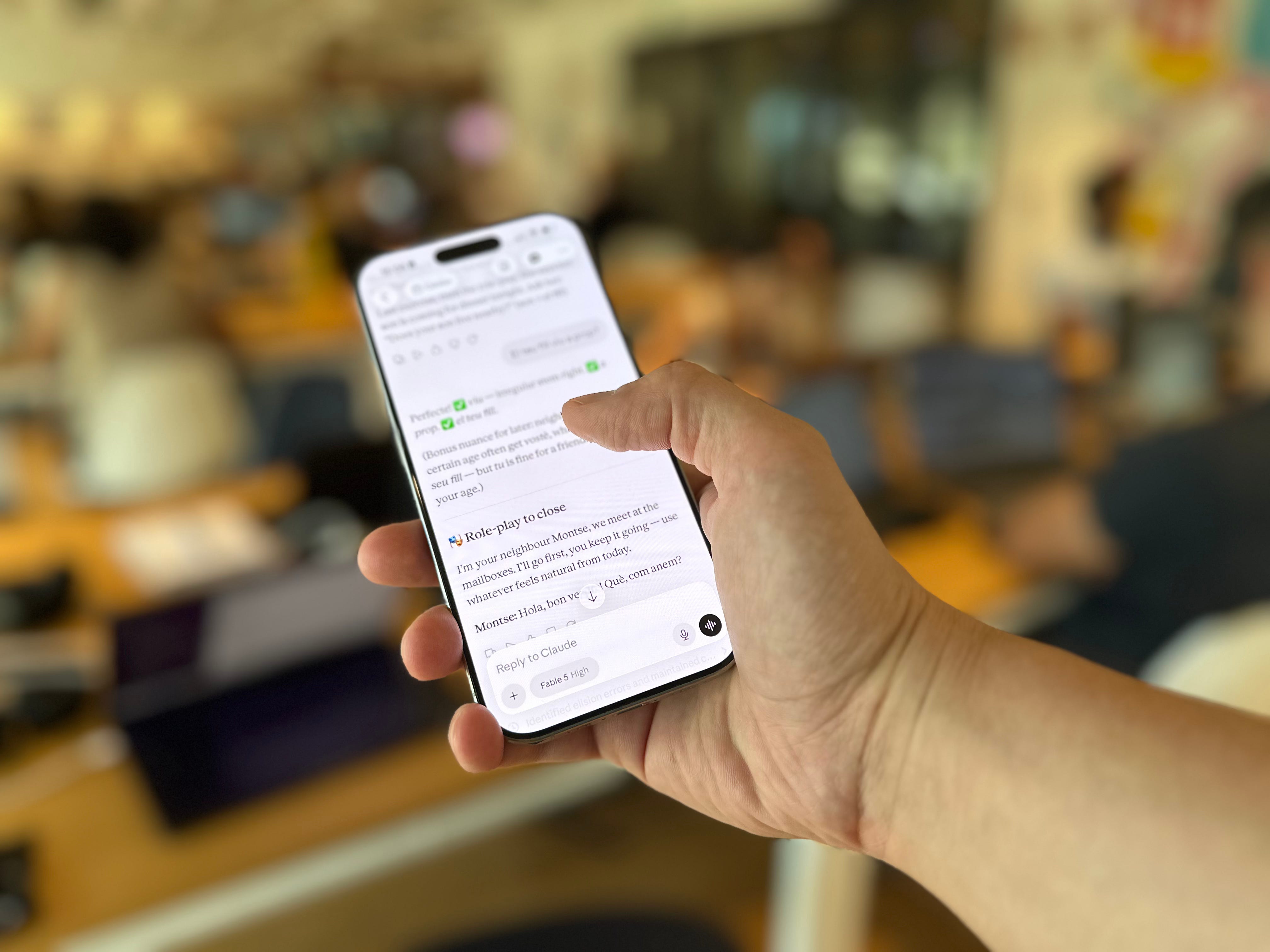
It takes a few seconds to read Notion. Then:
Warm up on what I already know
Rehearse yesterday’s mistakes
Learn one new thing
Drill it until it sticks
The exercises are set in my actual life. “You walk into a bakery on Carrer d’Enric Granados at 9 am. How do you greet the person behind the counter?”
I answer bon dia.
When I am done, Claude writes the session to Notion: progress, the new words, and the mistakes I just made. Tomorrow those mistakes come back in the warm-up and practice.
Bringing the streak back
I did not miss the leagues. I missed the number on my home screen.
So I built it back with an app called Scriptable, which runs a small script as an iPhone widget. It reads the lesson log in Notion and shows the streak.
You can download the script here.
To make it work, you need two values from Notion:
An integration token. In Notion, open any page, click the three dots, go to Connections, then the developer portal. Create a connection, name it, and copy the token that starts with ntn_. Then give that connection access to your learning hub.
The page ID. It is the last part of your Notion page URL.
Paste both into the config at the top of the script, between the double quotes. Press play. If it errors, the message tells you which field name did not match, and you can paste the error straight back to Claude.
Then long-press your wallpaper, add a Scriptable widget, and choose the script.
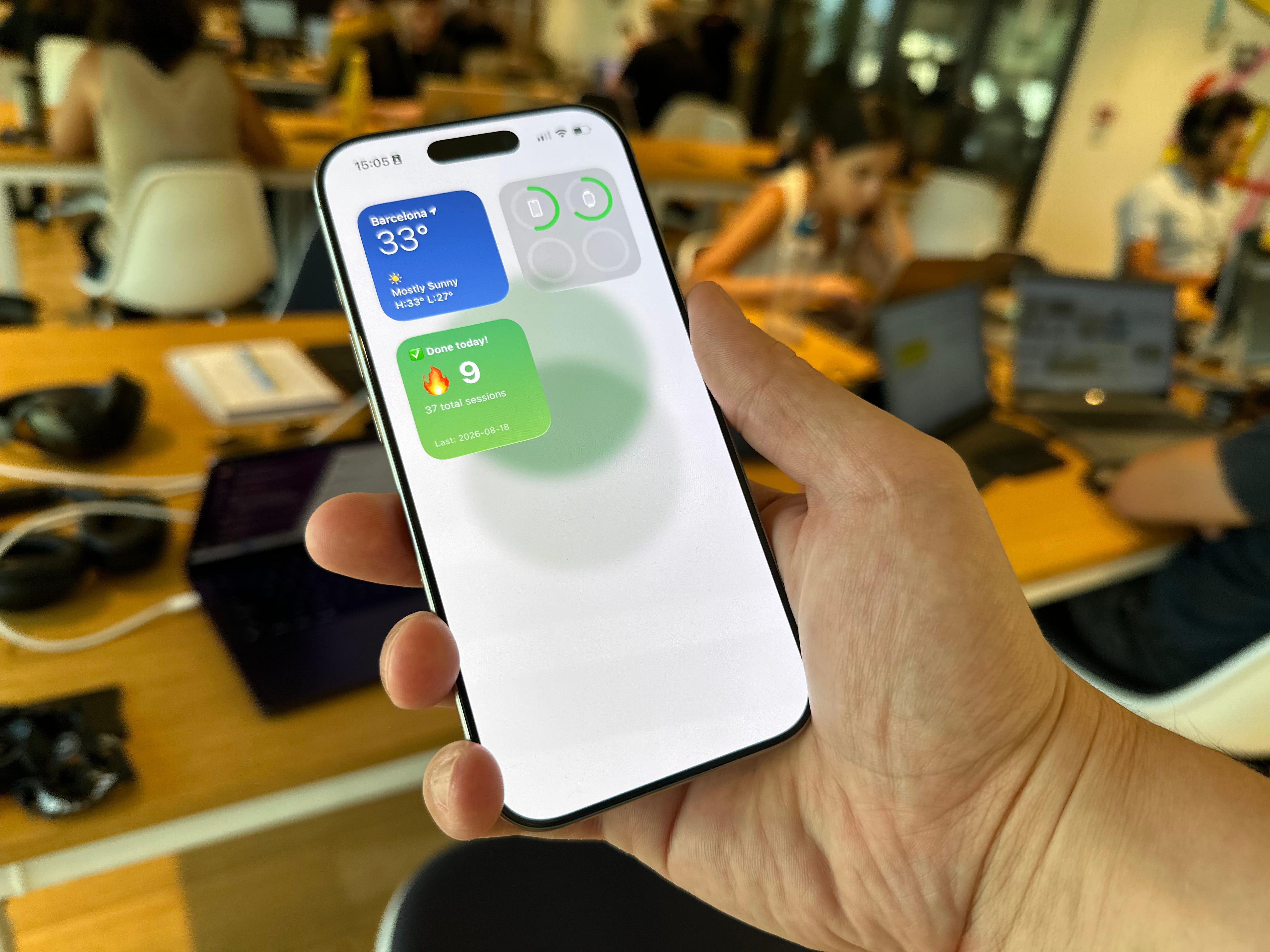
If you’re a visual person, setting this up is also in the YouTube video so that you can follow along.
The part that is not about Catalan
I am a developer, so your easy reaction might be “of course he built that”.
But I wrote no code. The Scriptable script came from Claude too, and the only technical step was copying a token from one screen into another (heck, Claude even gave me the instructions on how to obtain those API keys).
The whole build took 30 minutes, and most of that was me changing my mind about the curriculum.
The language is not the point. The point is that you can stop accepting a tool that treats you like everybody else.
Something you do every day, that almost fits (but not quite perfectly): that is the thing to rebuild first.
Mine was a streak. What is yours?
The instructions and the widget script are above, free to copy, you can download them at https://johnnyfekete.com/language. If you build a version for your own language, I want to see it.
Great post, Johnny. I'm giving the set up a go and all looks good. Ideally I want to use the Claude CarPlay app whilst driving so I'm intrigued whether this works equally well in voice mode too (dog walking / driving is time I'd love to use to practice). Claude doesn't fully support Catalan in voice mode yet, so its a bit clunky on that side.
P.s. I love the scriptable streak. It was super easy to configure...